I gave my coding agent a canvas
I built climax — a local browser + MCP surface that lets any coding agent render real UI in a sandboxed iframe. Multi-agent tabs, live pty, hosted frontend that talks to your local backend over CORS + PNA. MIT.
I was asking Claude Code to compare three approaches for a caching layer. It gave me a table. An ASCII table. In a monospaced font. In a terminal window.
The information was fine. The interface was insulting.
Not to Claude — I love Claude Code. To me. Because Claude, an LLM that has produced more clean HTML+CSS in a year than any human alive, was reduced to drawing box characters because the only surface it can address is my terminal.
So I built climax: a local browser + MCP surface that lets any coding CLI render its own UI, in a real browser, with a real event loop.
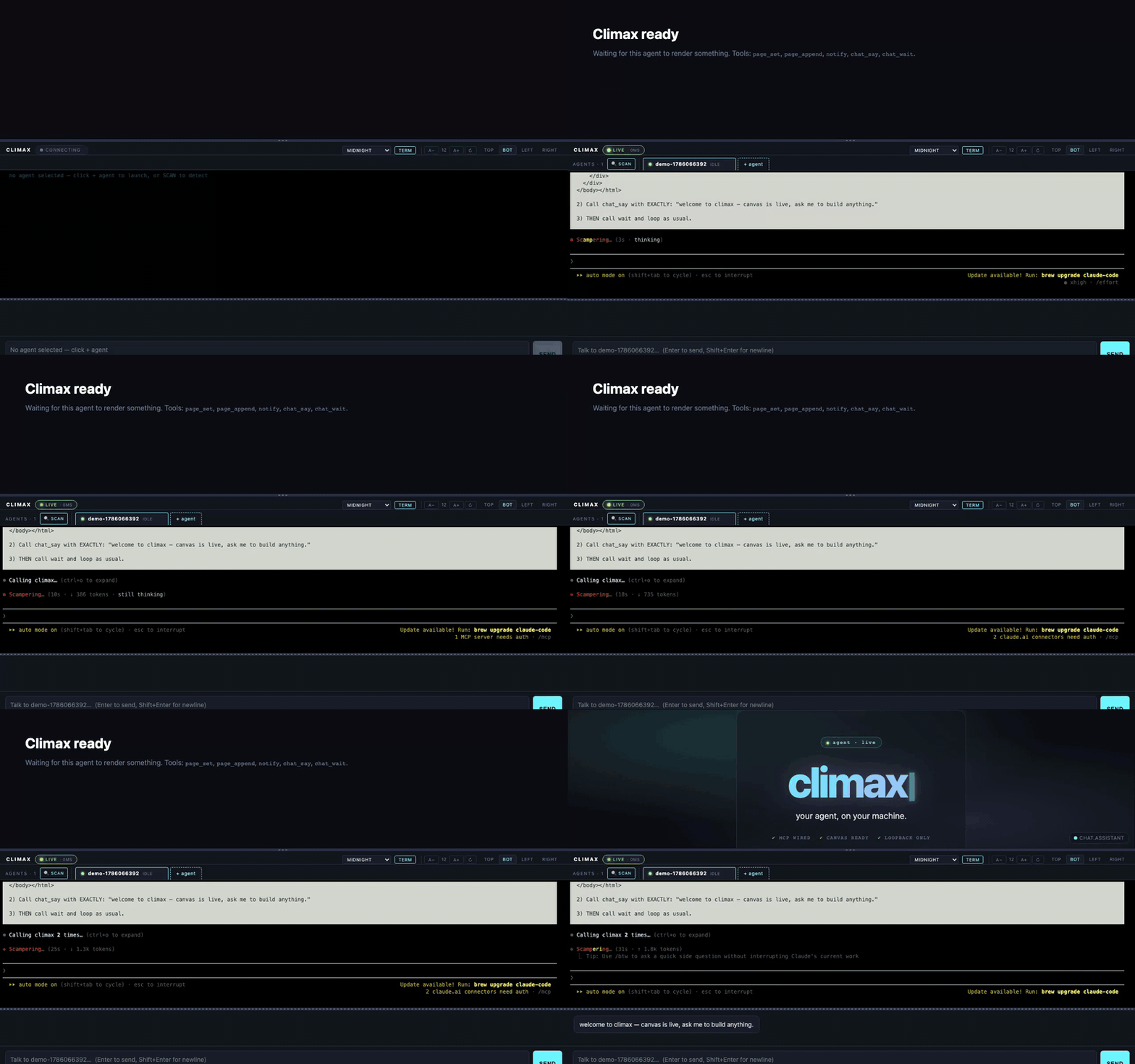
The whole flow: empty state → + agent → Claude Code preset → agent authors a welcome UI on the canvas. Real recording, no cuts.
The insight
LLMs have been amazing at UI code for years now. Ask any modern model to "make a color palette generator with a shuffle button" and it will hand you 40 lines of clean HTML that runs. It doesn't need a framework. It doesn't need node_modules. It just outputs a working thing.
We rarely use this ability from inside CLIs, though. When Claude Code decides to summarize search results, it prints them. When it wants to compare options, it makes a bulleted list. When you ask for a dashboard, it describes what a dashboard would look like.
The bottleneck isn't the model. It's the surface.
What climax is
Climax runs three things locally:
- An MCP server that exposes a handful of UI-native tools to any coding agent —
page_set(html),page_append(html),chat_say(msg),notify(msg, level),wait(timeout?), snapshots, telemetry. - A FastAPI backend that spawns coding agents in ptys with an ephemeral MCP config injected. No
claude mcp adddance. Click + agent and it's wired. - A browser UI with three panes per agent: a sandboxed iframe (the canvas), a chat panel, and a live xterm.js terminal streaming the pty.
Every agent runs in its own tab. Any MCP-speaking CLI works — climax ships presets for Claude Code, Codex, Gemini, Aider, opencode, Cursor CLI. Bring your own by editing ~/.climax/agents.toml.
How the canvas works
The core primitive is page_set(html). The agent calls it with a string of HTML; the backend broadcasts the HTML over a WebSocket; the browser drops it into a sandboxed iframe via srcdoc.
agent (MCP) → backend (FastAPI) → browser (iframe srcdoc)
The iframe is sandbox="allow-scripts allow-forms allow-popups". It can run its own JavaScript. It cannot touch the parent frame's cookies, storage, or DOM. If you ask Claude to render a form, it renders a form — and that form's <script> runs in isolation.
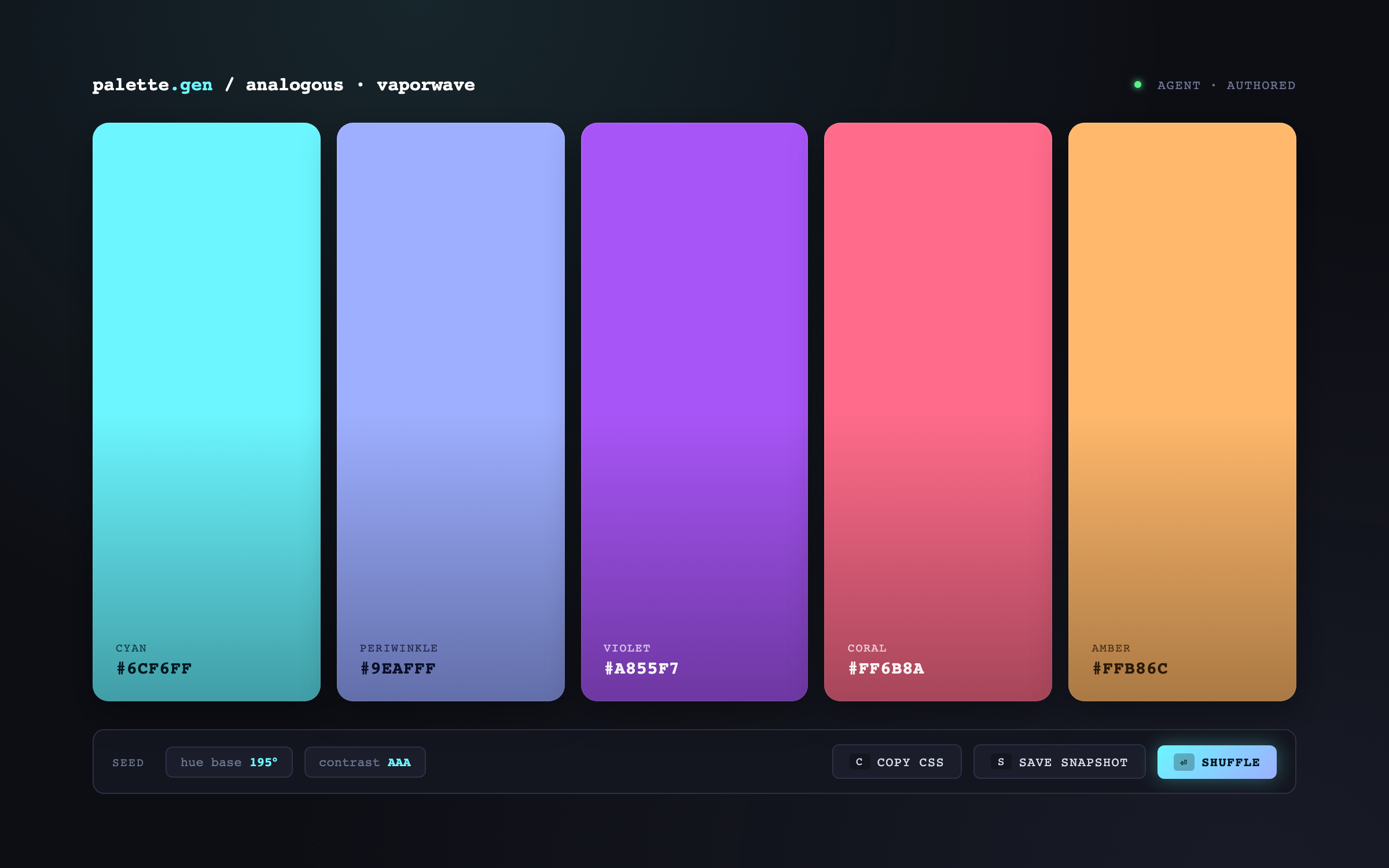
The neat bit is the return channel. The iframe can post messages back to the parent:
window.parent.postMessage({
  type: 'climax.event',
  name: 'shuffle',
  data: { seed: 4711 },
}, '*');
On the agent side, one MCP call:
wait() → { "stream": "canvas", "name": "shuffle", "data": {"seed": 4711}, "ts": ... }
wait() blocks on both the chat queue and the canvas event queue. Whichever fires first, the agent gets a structured payload. No polling, no timers, no "let me guess what the user meant" — the interface tells the agent exactly what happened.
This is the loop:
render UI → wait → get event → adjust UI → wait → …
A coding agent, driving a live interface, in real time. All you did was pip install --pre python-climax.
The live pty view
Every agent tab also has an xterm.js panel attached to the spawned CLI's pty. You see exactly what the agent sees — its prompt, its tool calls, its thinking indicators, its errors. You can type into it. You can Ctrl-C it. You can resize it and the pty resizes with it.
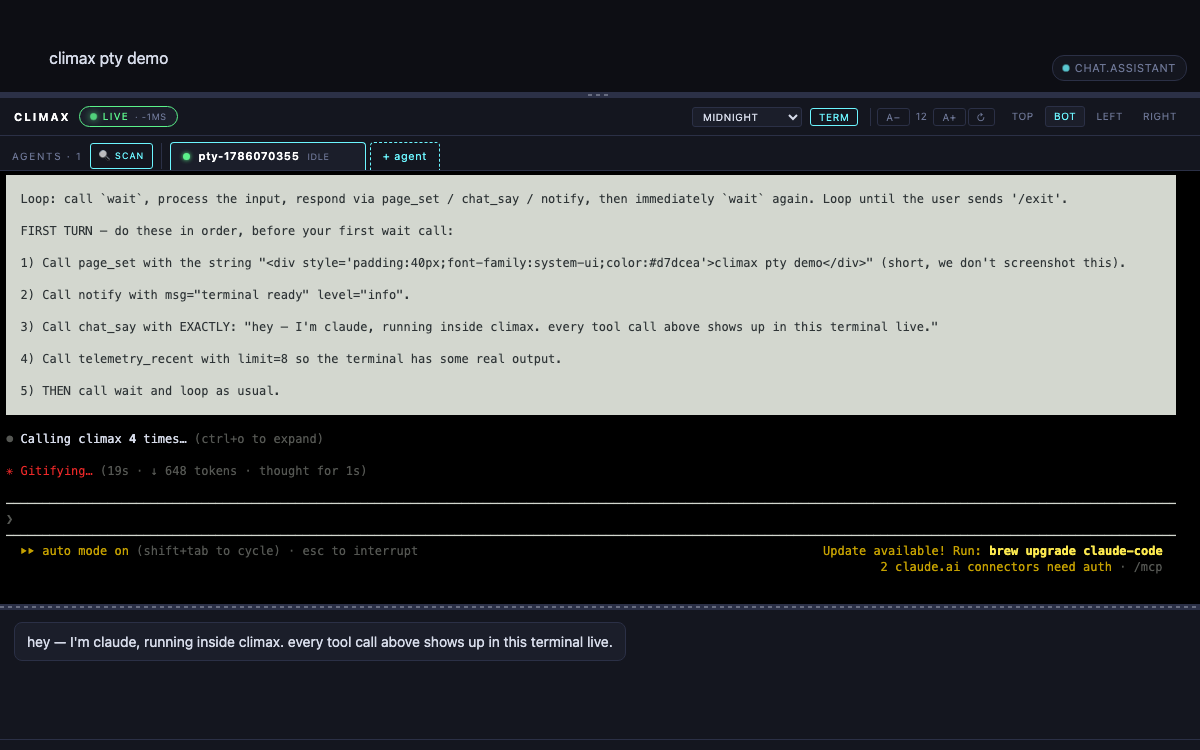
This turned out to be more useful than I expected. Not because you need to watch every keystroke — you don't — but because when something goes weird, you can look at what actually happened instead of guessing from tool-call results.
Multi-agent tabs
Click + agent and pick a preset. Claude Code, Codex, Gemini, Aider — whatever is on your $PATH. Each gets its own tab, its own canvas, its own chat, its own pty. You can have Claude sketching a UI in one tab and Codex writing tests for it in another.
There's a SCAN modal that checks your $PATH and shows install commands for the CLIs you're missing. Missing gemini? It'll show you the npm install -g @google/gemini-cli line to fix it, inline.
The bit I'm proud of: hosted UI → local backend
Climax's UI can run in two modes:
- Local mode: your climax backend at
127.0.0.1:8011serves the HTML itself. Everything is same-origin. Easy. - Hosted mode: climax.com.mx/app serves the exact same HTML from Vercel. Your browser visits the hosted UI, which then calls your own backend at
127.0.0.1:8011.
Wait, can you even do that? Doesn't the browser block mixed content from https:// to http://localhost?
No — not since 2021. Chrome 88, Firefox equivalent, Safari 15 all treat loopback addresses as potentially trustworthy under the Secure Contexts spec. HTTPS→loopback fetch is allowed. wss://climax.com.mx → ws://127.0.0.1:8011/ws is allowed. No mixed-content block. No tunneling. No extensions.
Two things you do need on the backend:
- CORS for the
climax.com.mxorigin. Climax ships a middleware with a small allowlist (defaults toclimax.com.mx+ loopback). - Private Network Access preflight — Chrome sends
Access-Control-Request-Private-Network: trueon public→loopback fetches and requiresAccess-Control-Allow-Private-Network: truein the response. Same middleware handles both in one pass.
The upshot: users install climax once, then visit climax.com.mx/app whenever they want a fresh UI without waiting for pip install --upgrade. The frontend auto-updates independent of the backend. Someone still running python-climax==0.1.0rc1 gets today's UI talking to their (older) backend, over the same stable APIs.
Why I care
I'm a physician-turned-engineer. I use coding agents all day for real work. And most of the friction I feel isn't "the model is wrong" — the models are terrifyingly capable. The friction is "I keep having to squint at the terminal."
Climax doesn't make Claude smarter. It just gives Claude a better place to live.
Try it
curl -fsSL https://climax.com.mx/install.sh | sh
climax
# → http://127.0.0.1:8011
Or the equivalent, if you'd rather:
pip install --pre python-climax
climax
Then either open the URL it prints, or head to climax.com.mx/app to talk to the same backend from the hosted UI. Click + agent, pick a preset, and ask it to build something.
Code is MIT: github.com/sheunaluko/climax. Star if you like it. Issues and PRs welcome.